How to Use a Hand Held Laser Welding Machine Effectively?
The use of a hand held laser welding machine has transformed various industries, from automotive to electronics. According to a recent report by MarketsandMarkets, the global laser welding market is projected to reach $7.8 billion by 2025, highlighting its growing significance. This technology offers precision and flexibility that traditional methods cannot match. However, it is crucial to understand the proper techniques for effective usage.
While hand held laser welding machines are praised for their efficiency, operators must acknowledge their limitations. These machines can struggle with thicker materials or complex geometries. Regular maintenance and calibration are essential for optimal performance. Many users overlook these aspects, leading to subpar results and increased costs. Understanding these nuances is vital for maximizing the benefits of this powerful tool.
In practice, factors such as power settings, speed, and focus must be fine-tuned. Each application may present unique challenges. Missteps in technique can result in poor weld quality. Therefore, consistent training and practice are necessary to become proficient. Embracing a hands-on approach, while also analyzing setbacks, will enhance the effectiveness of a hand held laser welding machine in various applications.
Understanding the Basics of Hand Held Laser Welding Machines
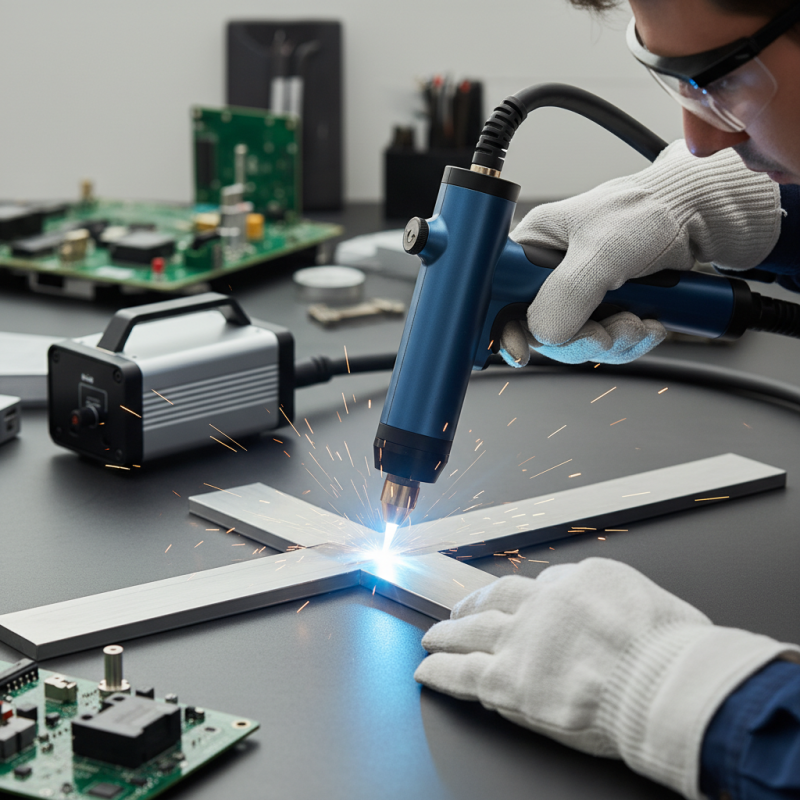
Hand held laser welding machines have become popular in various industries. Their flexibility and precision are unmatched. According to a recent industry report, the global market for laser welding is projected to reach $18 billion by 2026. This highlights the growing demand for efficient, portable welding solutions.
Understanding how these machines operate is crucial. They generate a high-powered laser beam that can penetrate metals quickly. This process minimizes thermal distortion, which can lead to defects. However, users often face challenges. Inadequate training can result in inconsistent weld quality. In fact, about 30% of welders report dissatisfaction with their welding outcomes. Ensuring proper alignment and distance from the workpiece is key.
Moreover, maintaining the equipment is essential for optimal performance. Regular cleaning and calibration can prevent common issues, like a weak laser output. Overlooking these factors can lead to frustrating results. Each welding project is unique and can introduce variables. Adapting to these changes is a skill that improves over time. Engaging in continuous learning can lead to better techniques and successful outcomes.
Essential Safety Measures for Using Laser Welding Equipment
Laser welding is growing in popularity for its precision and speed. However, safety is paramount. In the U.S., laser accidents account for over 300 injuries annually, according to industry reports. This highlights the need for essential safety measures when using handheld laser welding machines.
Tip: Always wear appropriate personal protective equipment (PPE). This includes safety goggles, gloves, and fire-resistant clothing. These items guard against harmful rays and potential burns. Ensure your workspace is well-ventilated. A poorly ventilated area can lead to harmful fumes and increased health risks.
Another critical aspect is understanding your equipment. Read the manual thoroughly. Many users underestimate this step, leading to avoidable mistakes. Operators should be trained in using laser technology. A lack of training can result in mishandling the equipment, which has led to accidents in the past.
Tip: Regular maintenance is key. Check wiring and components for wear regularly. A simple inspection can prevent expensive repairs and minimize the risk of accidents. Stay alert to your surroundings and nearby personnel. Distractions can have dire consequences. Prioritizing safety ensures not only personal well-being but also that of others around you.
Laser Welding Machine Usage Analysis
Step-by-Step Guide to Setting Up Your Hand Held Laser Welder
Setting up a hand-held laser welder requires attention to detail. Begin by ensuring your workspace is clean and well-lit. This machine operates at high precision and needs a stable surface. A report from the Laser Institute of America suggests that improper setup can lead to 30% inefficiency in welding processes.
Adjust the laser parameters based on the material type and thickness. Always conduct a test weld to calibrate settings. Remember, inaccurate settings may result in weak joints. If welding aluminum, use a higher power setting. For stainless steel, lower settings provide better results.
Tip: Always wear proper safety gear. Gloves and protective eyewear are essential to prevent injuries. Keep a fire extinguisher nearby.
Don’t overlook machine maintenance. Check mirrors and lenses for dirt or damage regularly. A clean machine enhances performance. Neglecting this can lead to unwanted defects in your welds. Engaging with your equipment improves skill but can sometimes highlight areas for improvement.
Techniques for Achieving Precision in Laser Welding
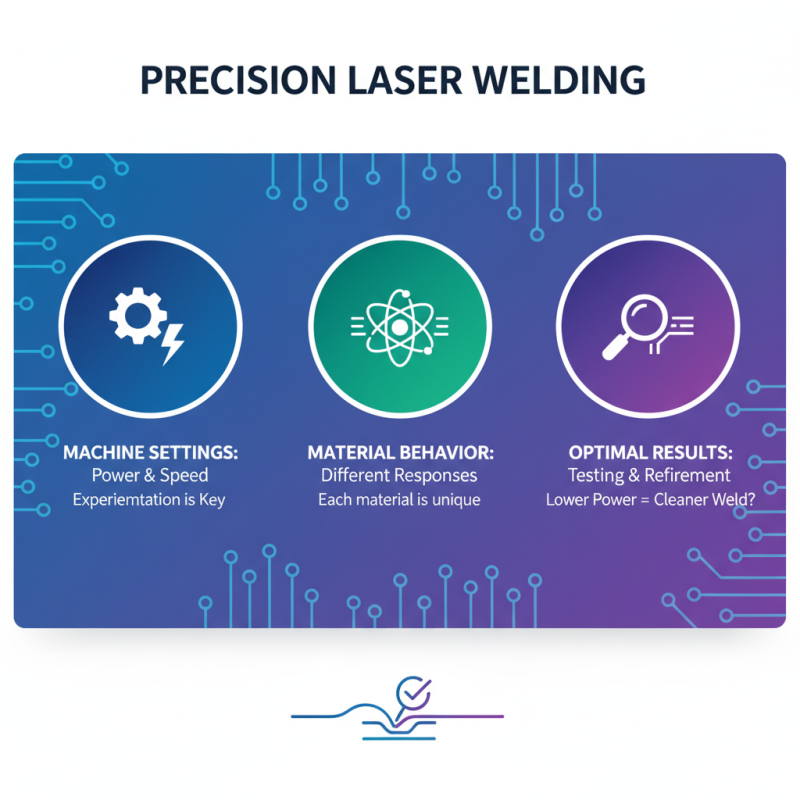
Achieving precision in laser welding requires a keen understanding of technique and environment. Proper settings on the machine, including power and speed, are essential. Each material behaves differently under a laser beam. Experimenting with various settings can lead to unexpected results. Sometimes, a lower power setting produces a cleaner weld. Testing should be part of the process.
Preparation is crucial for success. Ensure the surfaces being welded are clean and free of contaminants. Even a tiny amount of dirt can affect weld quality. Clarity in the line of sight is necessary, as obstructions can cause uneven heat distribution. Using fixtures can stabilize the workpiece, but their position must be checked regularly. Mistakes in positioning can lead to costly errors.
Monitoring the welding process in real-time enhances precision. A steady hand and focused eye are vital. Sometimes, the best technique involves a bit of trial and error. If the welds appear inconsistent, re-evaluate the technique. The lighting and angle of the laser may need adjustment. Each project offers learning opportunities, even when imperfections arise. Recognizing what went wrong is part of mastering the craft.
Maintaining and Troubleshooting Your Hand Held Laser Welder
Maintaining a hand-held laser welder is crucial for achieving optimal performance. Regular maintenance checks can prevent unexpected breakdowns. Clean the lens regularly. Dust and debris can cause poor welding quality. Inspect the cables for wear and tear. Old cables can lead to safety issues. Adjustments may need to be made during prolonged use.
Troubleshooting is essential when issues arise. If the laser won't initiate, check the power supply. Ensure the settings are correct for the material being welded. Sometimes, a simple calibration can solve the problem. Be wary of overheating. Allow the machine to cool down between uses. Ignoring this can cause long-term damage.
Learning to identify these issues can save time. Documenting the welding parameters and outcomes helps in troubleshooting later. If persistent problems occur, seeking professional help might be necessary. Not all problems can be fixed alone. Mistakes are part of the process. Reflecting on them can lead to improvement. Consistent practice will enhance both skills and familiarity with the machine.
How to Use a Hand Held Laser Welding Machine Effectively? - Maintaining and Troubleshooting Your Hand Held Laser Welder
| Aspect |
Details |
| Preparation |
Ensure a clean work area and proper material alignment. |
| Safety Gear |
Wear safety goggles, gloves, and protective clothing. |
| Machine Settings |
Set appropriate power, speed, and focus for the material being welded. |
| Technique |
Use a steady hand and maintain consistent speed during welding. |
| Common Issues |
Check for uneven welds, incomplete fusion, and excessive heat. |
| Maintenance |
Regularly clean lenses and check the coolant and connections. |
| Troubleshooting |
Refer to the manual for error codes and solutions. |